
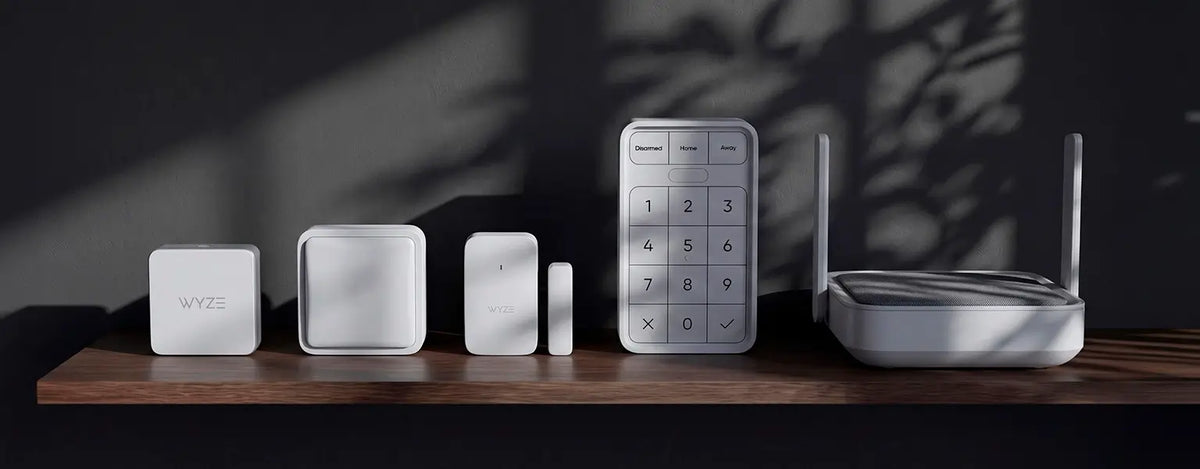


Sensors, Hubs and Monitoring for the Whole Home
A monitoring system answers a different question from a camera. A camera tells you what a place looks like right now. A sensor tells you the moment something changed — and it works in the places you'd never put a camera, like inside a cupboard, under a sink, or in a bedroom.
That makes the two complementary rather than competing. Most homes end up with cameras at the doors and sensors everywhere else.
Start with the Hub
The Wyze Sense Hub is the piece everything else connects to. It talks to each sensor, handles the alarm, and connects the system to your network. Every sensor in this collection lists the Hub as a requirement, so it's the one product that isn't optional.
If you're setting up from scratch, the Home Monitoring Core Starter Kit bundles the Hub with sensors and keypad, which is generally cheaper than buying the parts separately and removes any guesswork about what pairs with what.
What each sensor does
Entry sensors mount on doors and windows in two parts and report whenever the two halves separate. This is the backbone of most systems, because a door opening is the single most useful thing to know about.
Motion sensors cover the space between entry points — a hallway, a landing, a room with no exterior door. They're what catches movement that didn't come through a monitored doorway.
Climate sensors report temperature and humidity, which matters less for security and more for everything else: a garage dropping below freezing, a nursery running warm, a basement damp enough to cause problems.
Leak sensors sit under sinks, behind washing machines and near water heaters, with a probe for tighter spots. Of everything here, these have the best chance of preventing genuine expense. Water damage is slow, expensive, and almost always found too late.
Arming, disarming and the keypad
The Sense Keypad arms and disarms the system at the door, without a phone. That matters more than it sounds in a shared household — anyone can use a keypad, including guests, family members and anyone who doesn't have the app installed. The system can still be controlled remotely from the app when you're away.
Self-monitoring or professional monitoring
By default the system is self-monitored: it alerts you, and you decide what to do. Wyze Home Monitoring Service adds 24/7 professional monitoring, meaning a monitoring centre responds to alarms and can dispatch emergency services when you can't be reached.
The distinction is worth being clear about before you buy. Self-monitoring is included and costs nothing ongoing, but depends on you seeing the alert. Professional monitoring covers the times you're asleep, abroad or unreachable. See plans and services for what's included.
Using sensors to trigger other devices
Sensors are also useful when nothing is wrong. Because they report a change of state, they can trigger other Wyze devices through rules in the app — a light coming on when a door opens after dark, a camera starting to record when motion is detected in a room, a notification when a back gate opens during the day.
This is where a monitoring system turns into home automation, and it's the reason sensors are worth adding even in a house that already has cameras. To build out the rest, see smart cameras, smart locks, or the full range in connected home.
